
Introduction
IoT Hub uses mail templates to send email notifications to users when certain events occur. For example, a message about activating an account or resetting a password.
IoT Hub provides default system mail message templates with sample content, which can be customized individually from the list.
To do this, following steps:
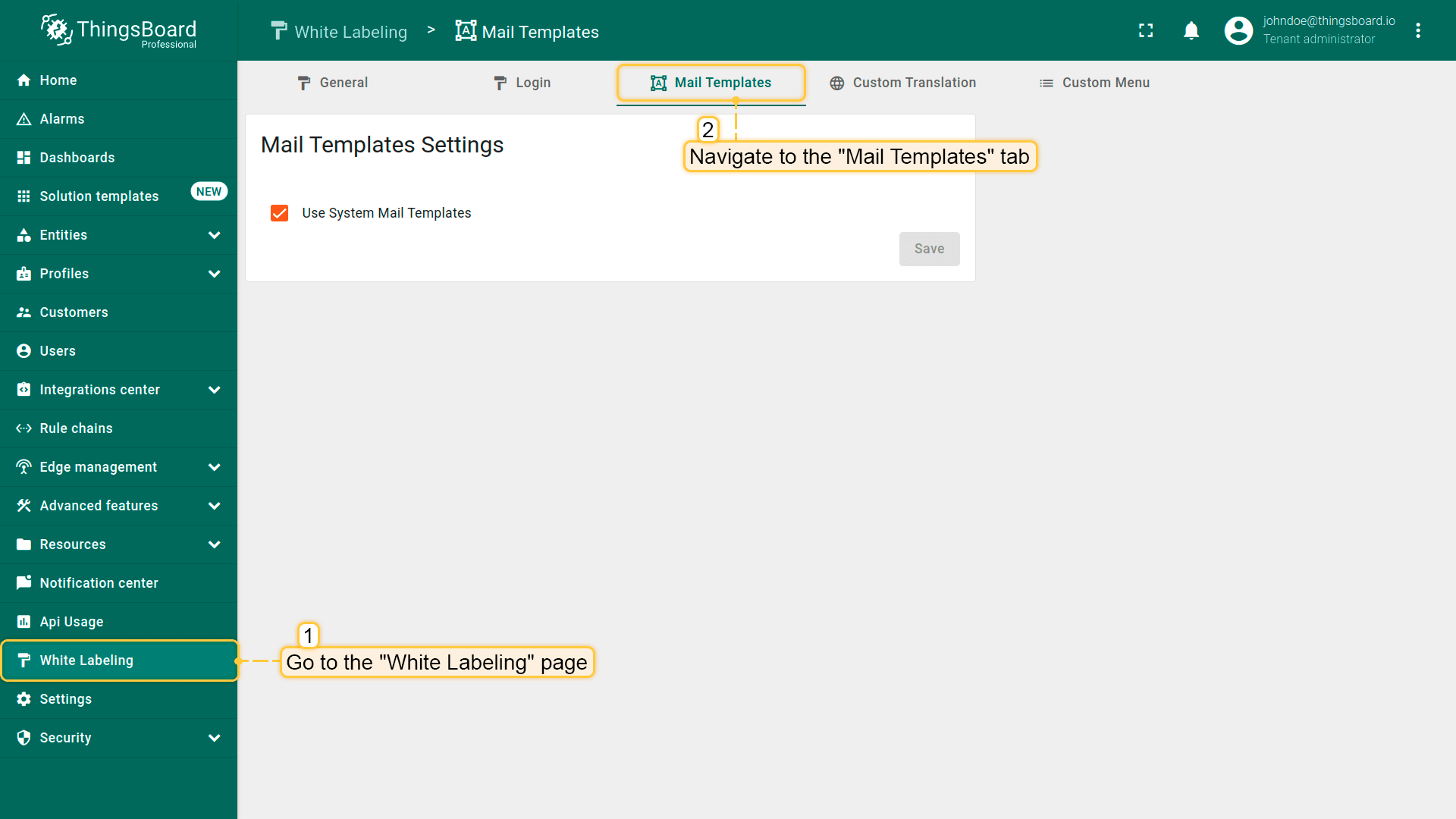
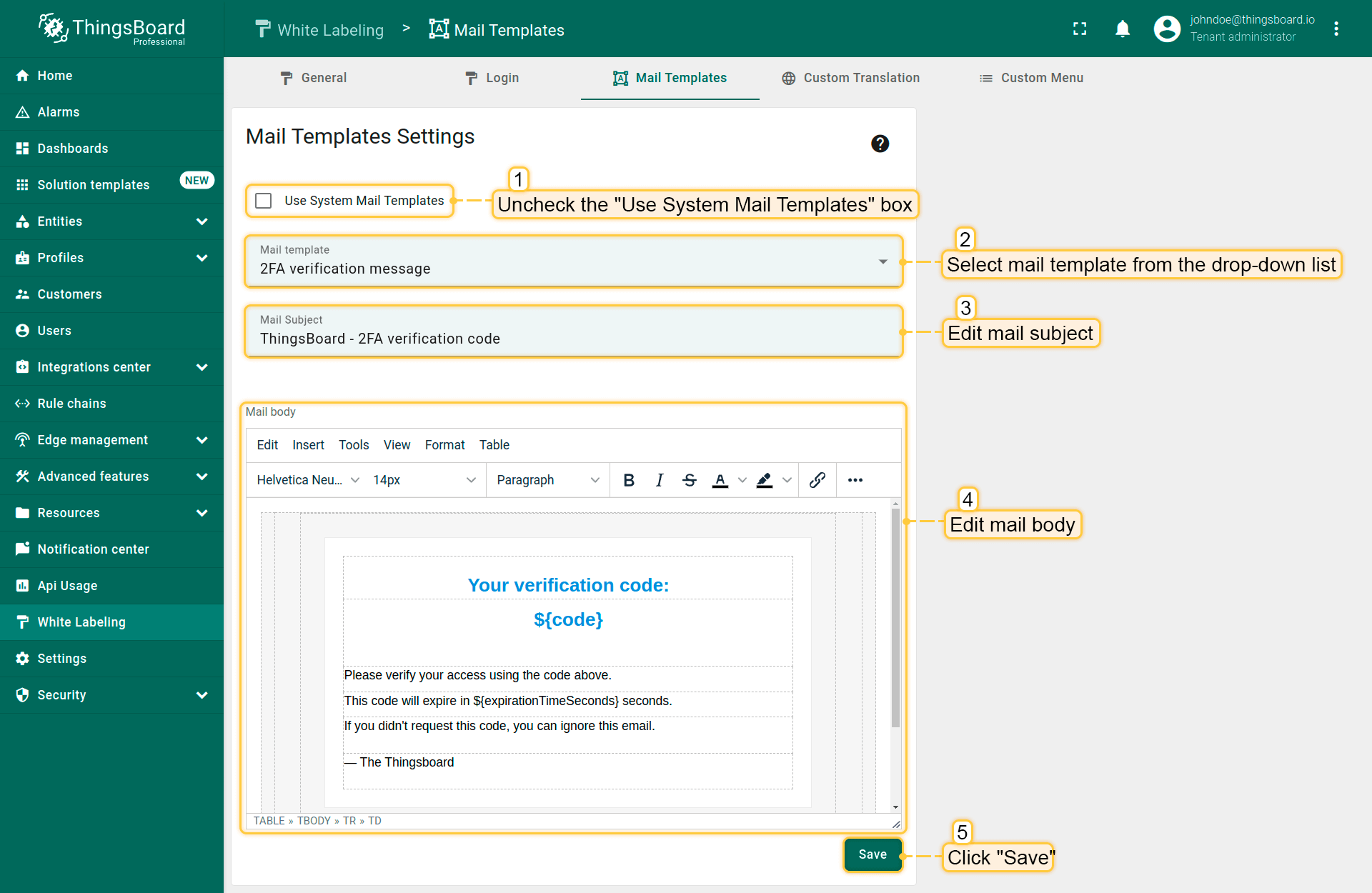
- Go to the “White Labeling” page -> “Mail Templates” tab;
- Uncheck “Use System Mail Templates” box;
- Select mail template from the drop-down list, that you want to edit;
- Edit mail subject and mail body;
- Save changes.
Next steps
-
Getting started guides - These guides provide quick overview of main IoT Hub features. Designed to be completed in 15-30 minutes.
-
Connect your device - Learn how to connect devices based on your connectivity technology or solution.
-
Data visualization - These guides contain instructions on how to configure complex IoT Hub dashboards.
-
Data processing & actions - Learn how to use IoT Hub Rule Engine.
-
Hardware samples - Learn how to connect various hardware platforms to IoT Hub.