- Where to find Swagger UI?
- How to authenticate in Swagger UI?
- How API authentication works?
- How to obtain a JWT token?
- Additional tools
IoT Hub provides interactive REST API documentation via Swagger UI. This tool allows you to explore available API methods, understand their parameters, and execute API requests directly from your browser.
Where to find Swagger UI?
Every IoT Hub instance has its own Swagger UI page, accessible at:
1
http://iothub.magenta.at:PORT/swagger-ui.html
*Replace iothub.magenta.at:PORT with your actual IoT Hub server address.
For example, you may browse Community Edition demo server API documentation using the Swagger UI link.
How to authenticate in Swagger UI?
- If you are already logged in via the main IoT Hub login page, Swagger UI will automatically use your credentials.
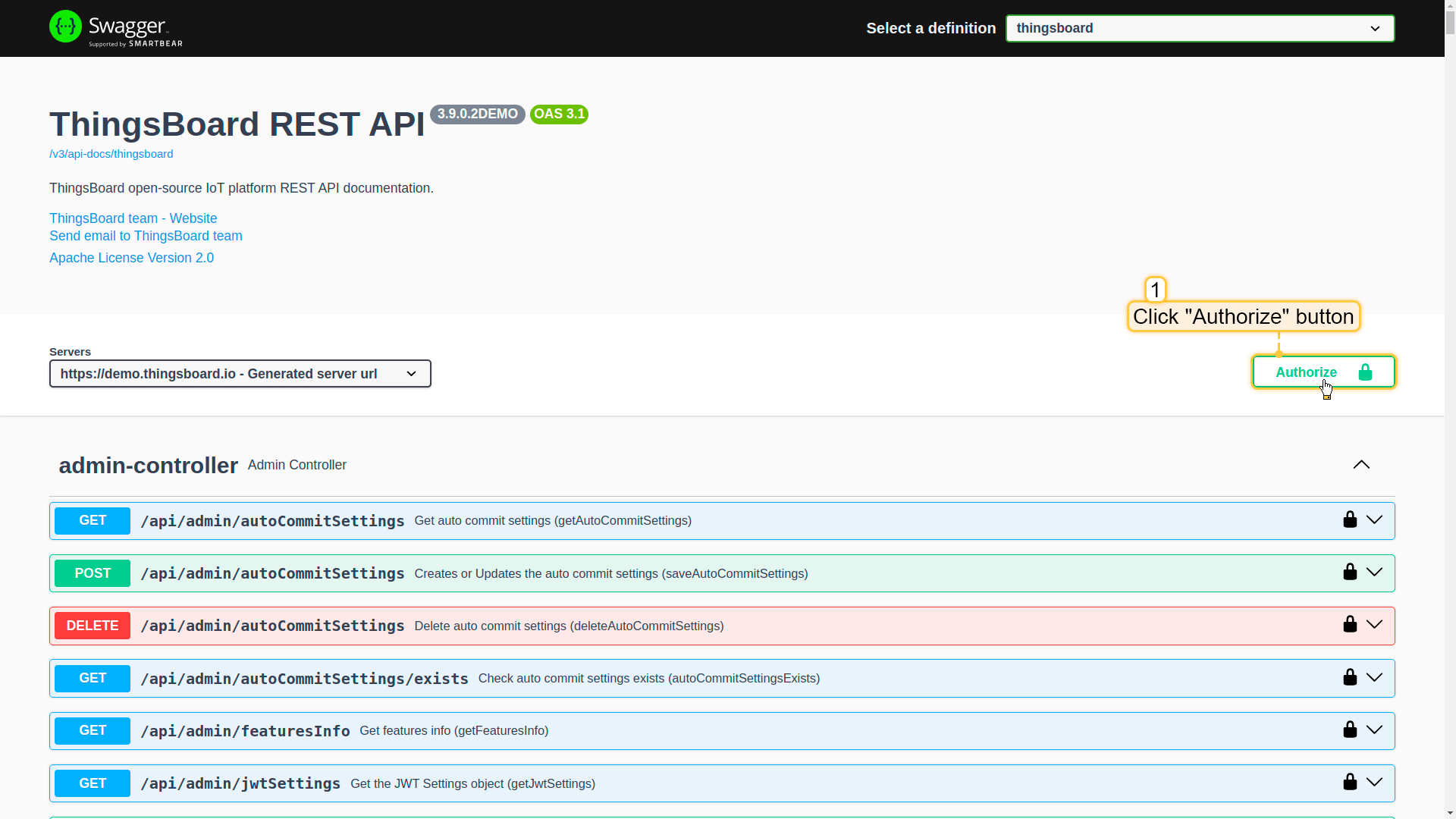
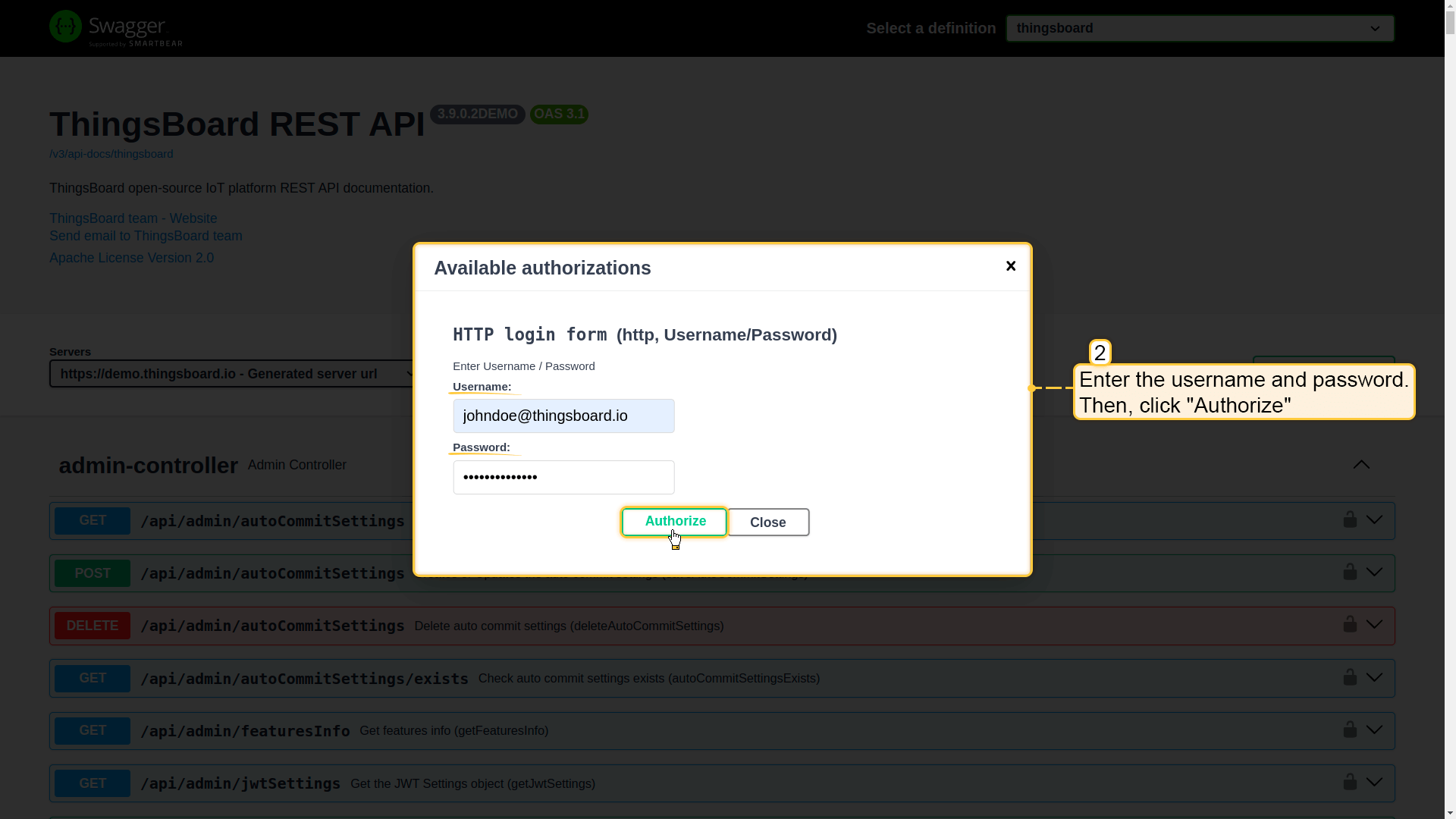
- You can manually authenticate or authorize as a different user using the “Authorize” button in the top-right corner of the Swagger page. Enter the username and password. Then, click “Authorize”.
How API authentication works?
IoT Hub uses JWT tokens for representing claims securely between the API client (browser, scripts, etc) and the platform. When you login to the platform, your username and password is exchanged to the pair of tokens.
- Access Token (JWT) – short-lived token, used for executing API calls.
- Refresh Token – used to obtain a new access token when the current one expires.
The expiration time of main and refresh tokens is configurable in system settings via JWT_TOKEN_EXPIRATION_TIME and JWT_REFRESH_TOKEN_EXPIRATION_TIME parameters.
Default token expiration:
- Access Token is valid for 2.5 hours.
- Refresh Token is valid for 1 week.
How to obtain a JWT token?
To obtain a JWT token for the user “tenant@magenta.com” with password “tenant” on “iothub.magenta.at” (actual IoT Hub server address), execute the following command:
1
2
3
4
curl -X POST --header 'Content-Type: application/json' \
             --header 'Accept: application/json' \
             -d '{"username":"tenant@magenta.com", "password":"tenant"}' \
             'https://iothub.magenta.at/api/auth/login'
Response:
1
{"token":"$YOUR_JWT_TOKEN", "refreshToken":"$YOUR_JWT_REFRESH_TOKEN"}
Once authenticated, use the obtained JWT token in the X-Authorization header for all API requests:
1
X-Authorization: Bearer $YOUR_JWT_TOKEN
Additional tools
For easier integration with the IoT Hub API, you can use IoT Hub team client libraries:
- Java REST API Client – client library written in Java to simplify consumption of the REST API.
- Python REST API Client – client library written in Python to simplify the consumption of the REST API.
These clients allow you to create devices, assets, users, and other entities, as well as manage their relationships within IoT Hub.